Too many capture points
Tickets, notes, messages, and spreadsheets fragment the same piece of work.
Flagship product · local-first operations
Keep the work moving when tickets, meetings, blockers, and decisions compete for attention.
OpsDesk is a browser-based workbench for customer-facing and analytics operations. It combines focus planning, a work board, to-dos, structured context, updates, reporting, and portable backup without an account or server.
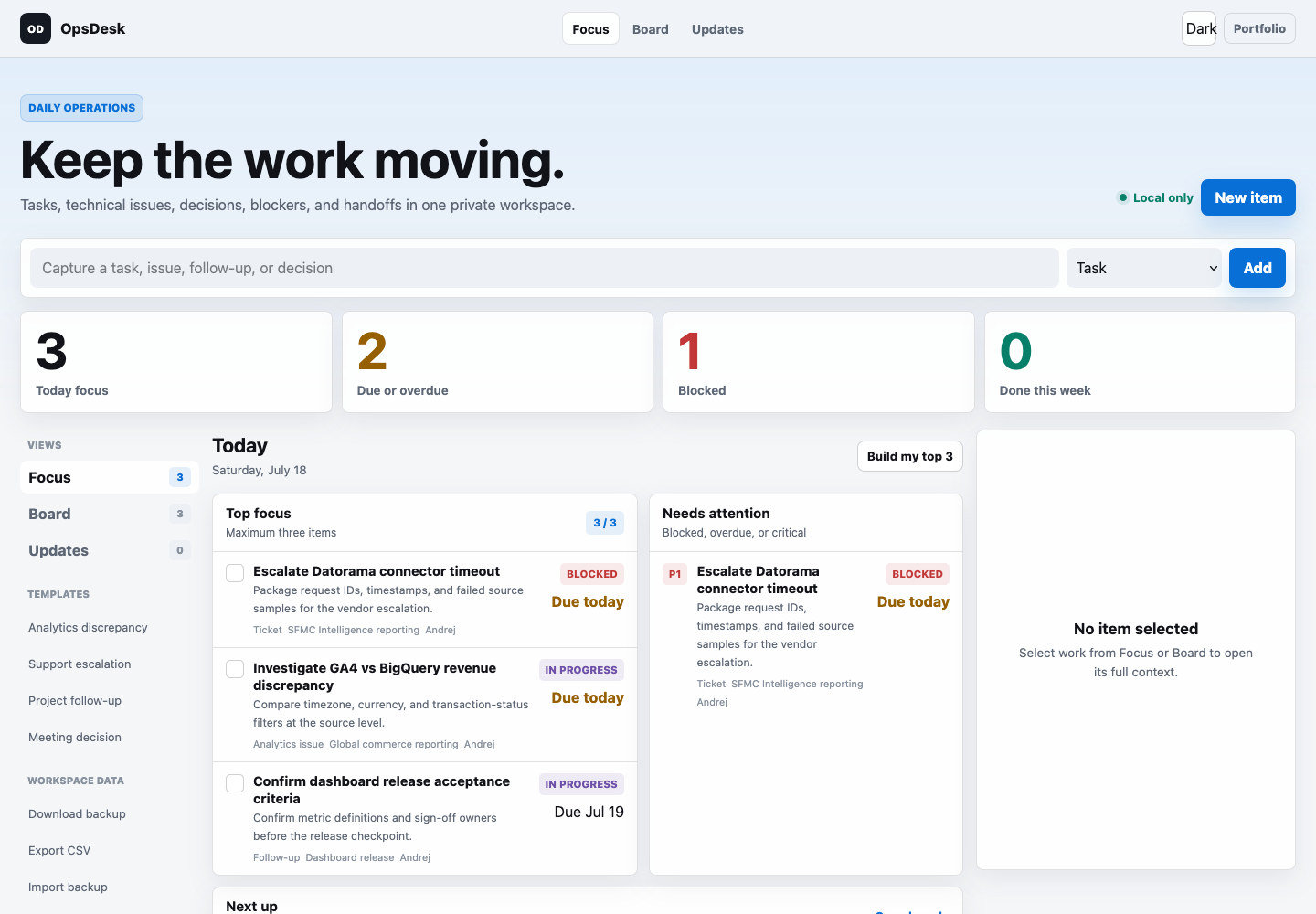 A real, usable browser application. No mock data is required to operate it.
01 · Challenge
Tasks often start in chat, continue in a ticket, change in a meeting, and finish in a status update. A generic to-do list stores the title but drops the reason, next action, blocker, decision, and handoff.
The goal was a focused personal workspace that remains useful for support operations, analytics delivery, and project follow-through without introducing another account or backend.
Tickets, notes, messages, and spreadsheets fragment the same piece of work.
A title alone cannot explain what happened, why it matters, or what must happen next.
Operational notes must stay in the browser and remain portable through explicit backup.
02 · System
A single structured work item powers Focus, Board, To-do, and Updates. Each view answers a different operational question while preserving one source of truth.
Task, issue, decision, or follow-up.
Owner, priority, blocker, due date, notes.
Top three and status-based delivery.
Readable progress generated from work.
JSON restore plus Excel, CSV, or Markdown report.
03 · Product decisions
The interface is intentionally dense enough for repeated work and quiet enough to scan. It avoids decorative dashboards, forced sign-in, and hidden export controls.
Prioritization becomes a decision instead of another unlimited list.
Completed history remains recoverable; permanent deletion requires explicit confirmation.
Excel, CSV, and Markdown communicate work. JSON preserves the complete restorable workspace.
Users know browser clearing can remove local data and are prompted to keep portable backups.
04 · Result
OpsDesk is complete enough for everyday use: capture, edit, prioritize, move, archive, delete, report, back up, restore, and continue. It also shares its portable workspace with SyncDesk so operational issues can link to documented data connections.
The same item moves from today's intent to execution and stakeholder-ready reporting without duplicate entry.
A full JSON workspace can be exported and imported later or in another browser. Reports remain available in human-readable formats.
The application works on GitHub Pages, has no analytics tracking, and keeps workspace data on the user's device.
Semantic controls, visible focus, responsive layouts, light/dark mode, and reduced-motion support are built in.